
 By Anderson Green
Experiencing battery failures can be annoying for you as a Clean Carts user. It is important to understand why these problems happen. Knowing how to fix them can help you solve issues fast. This guide gives useful tips to make your experience better and keep your Clean Carts working well.
- Find battery problems by looking for signs. These signs include the device not turning on or charging slowly. Finding issues early helps you fix them fast.
- Use easy troubleshooting steps. Check connections, look at cables, and clean contacts. This will help you fix battery problems well.
- Keep your battery healthy. Avoid very hot or cold temperatures. Store it correctly and use it often. This will give you a better vaping experience.
Clean Carts have special battery systems that improve your vaping. Knowing how these batteries work helps you see their benefits. Here’s a simple look at the main parts of the battery system in Clean Carts Disposable Winter Edition 2G:
| Component | Description |
|---|---|
| Internal Battery | Gives steady power, making sure it works well every time. |
| Battery Output | Matches oil use, spreading energy evenly for smooth hits. |
| Winter Resilience | Made to work well in cold weather. |
| Calibration | Adjusted to fit oil amount for steady performance. |
| Rechargeable Battery | Lets you use all the oil without running out of power. |
The battery in Clean Carts powers the device well. Here are some important features:
- Long-lasting battery life
- Steady power supply
- Fast charging
- Easy draw activation
Also, the battery details include:
| Feature | Description |
|---|---|
| Battery Type | High-capacity rechargeable battery made for cold weather |
| Power Output | Steady power kept throughout the battery’s life |
| Temperature Regulation | Smart system changes heat levels automatically for even vapor |
| Overcharge Protection | Helps keep the battery healthy for a long time |
| Charging Port | USB-C fast charging to reduce waiting time |
| Battery Status Indicator | Small LED light shows battery status quickly |
For unique features, both the DUOZ and Kingsize models are great for battery life. Here’s how they compare:
| Model | Battery Feature Description |
|---|---|
| Flavorz Duoz | Long-lasting battery that works with 2g of cannabis oil, so you don’t need to recharge often. |
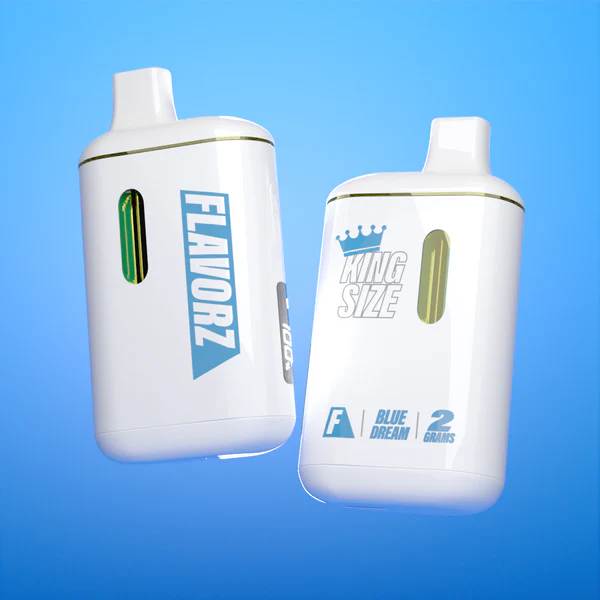
| Kingsize Clean Carts | Rechargeable battery that keeps working well for the whole life of the device. |
These features really help your experience. The DUOZ battery lasts long, so you can enjoy your sessions without recharging a lot. The Kingsize model gives you steady performance, making each hit better. By knowing these battery basics, you can handle any battery issues and have a great vaping experience.
If your Clean Carts have battery problems, the first step is to spot the signs. Here are some common signs that show battery issues:
- The device won’t turn on after charging.
- Charging takes a long time.
- You don’t see a charging icon when it’s plugged in.
If you see any of these signs, follow this simple guide to find and fix the problem:
- Check the Battery Connection: Make sure the battery is connected well to the cartridge. A loose connection can stop the device from working.
- Inspect the Charging Cable: Look at your charging cable for any damage. A broken cable can cause charging problems.
- Test with a Different Charger: If you can, use another charger. This helps check if the charger is causing the issue.
- Clean the Contacts: Dust can build up on the battery contacts. Use a cotton swab or soft cloth to clean them gently.
- Allow for Cooling: If you’ve used the device for a long time, let it cool down. Overheating can cause temporary battery problems.
- Reset the Device: Sometimes, resetting the device can fix small issues. Turn it off, wait a few seconds, and turn it back on.
- Charge Fully: Make sure to charge the battery all the way before using it again. A battery that isn’t fully charged may not work well.
- Monitor Performance: After troubleshooting, watch how the device works. If problems continue, it might mean a bigger issue.
To help your battery last longer and work better, try these helpful tips:
- Avoid Extreme Temperatures: Keep your Clean Carts away from very hot or cold places. These can harm battery life.
- Store Properly: When not in use, keep your device in a cool, dry spot. This helps keep the battery healthy.
- Use Regularly: Using your Clean Carts often can help keep the battery in good shape. Letting it sit unused for too long can hurt the battery.
By following these troubleshooting tips and helpful advice, you can find and fix battery problems in your Clean Carts. This smart approach gives you a better vaping experience and helps your device last longer.
You might face different battery problems with your Clean Carts. Luckily, many of these issues are easy to fix. Here are some common battery problems and how to solve them:
| Issue Type | Solutions |
|---|---|
| Charging Issues | 1. Check the charging connection (clean the port, look at the cable). 2. Check charging lights (see if they change). 3. Fix common charging problems (like overheating or age). 4. Follow good charging habits (don’t overcharge). |
| Battery Not Turning On | 1. Follow the activation steps (5 quick clicks). 2. Look for battery lock (check the manual). 3. Reset the battery (turn it off, wait, then reconnect). |
| Compatibility Issues | 1. Voltage compatibility (make sure it’s in the right range). 2. Airflow design differences (check airflow holes). 3. Thread length differences (use adapter rings if needed). |
| Performance Issues | 1. Change voltage settings (best range is 2.5V-3.5V). 2. Use preheat function (click twice to turn on). |
| Battery Life Optimization | 1. Charge before it’s empty, don’t overcharge. 2. Use lower voltage settings to save battery. 3. Signs of battery wear (less usage time). |
| When to Replace Your Battery | 1. Signs for replacement (won’t hold charge, gets too hot). 2. Average battery life (3-6 months for basic). |
If you keep having problems, it might be time to think about replacing your battery or even the whole cart. Here are some signs to help you decide:
- Battery Won’t Hold Charge: If your battery won’t hold a charge after trying to fix it, it might be dying.
- Overheating: If the battery gets hot often, this could mean a serious problem that needs replacement.
- Age of the Battery: Most batteries last about 3 to 6 months. If yours is older, it might be time for a new one.
Getting a new battery can improve your vaping experience. Using FLAVORZ products gives you reliable performance. Here are some benefits of choosing FLAVORZ Clean Carts:
- The Clean Carts 2G has a high-quality USB-C rechargeable battery, fixing the common problem of batteries dying while there’s still oil left.
- A fully charged battery gives you about 150 to 250 puffs, so you get a lot of use.
- The battery lasts longer than the oil, letting you use every drop of your product.
By knowing when to replace your battery and the benefits of using FLAVORZ products, you can keep enjoying your vaping experience. Always take care of your device to avoid battery problems and ensure it works well.
To sum up, you found out how to spot and fix battery problems in your Clean Carts. Keeping your device well-maintained is very important for it to work well. Always check the connections, clean the contacts, and keep an eye on the battery’s health. If problems keep happening, think about getting a new battery or even a new cart. Doing these things will help you have a better vaping experience!
Check the charging cable and connections. Clean the contacts and try a different charger if needed.
A fully charged battery provides about 150 to 250 puffs, depending on usage.
Yes, Clean Carts are designed to perform well in cold conditions, ensuring a smooth vaping experience.
 Carter Davis