
 By Anderson Green
Experiencing airflow problems can be annoying for you as a vape pen user. These issues can spoil your vaping experience and take away your fun. Fixing airflow problems is important for keeping a smooth and enjoyable session. By solving these issues, you can improve your overall vaping enjoyment.
- First, check your battery charge. A low battery can cause airflow problems. Charge it fully to make it work better.
- Look at the mouthpiece and cartridge for blockages. Clean them often to keep airflow smooth and improve vaping.
- Check the cartridge connection. Make sure it fits tightly and is not damaged to avoid airflow issues.
First, see if your battery is charged. A low battery can cause airflow problems. To charge it, plug it into a power source with the charger. Look for a light on the battery. If it lights up, it is charging. Wait until the light goes off or changes color. This means it is fully charged. This easy step can often fix airflow issues.
Next, check the connections between the battery and the cartridge. Loose or dirty connections can block airflow. Take off the cartridge from the battery and look at both ends. Check for any dirt or residue that might block the connection. If you find any, clean it gently with a soft cloth or a cotton swab.
Tip: Make sure the battery is off before cleaning to avoid any accidental activation.
After cleaning, put the cartridge back on tightly. Ensure it fits well without forcing it. A good connection helps airflow, improving your vaping experience.
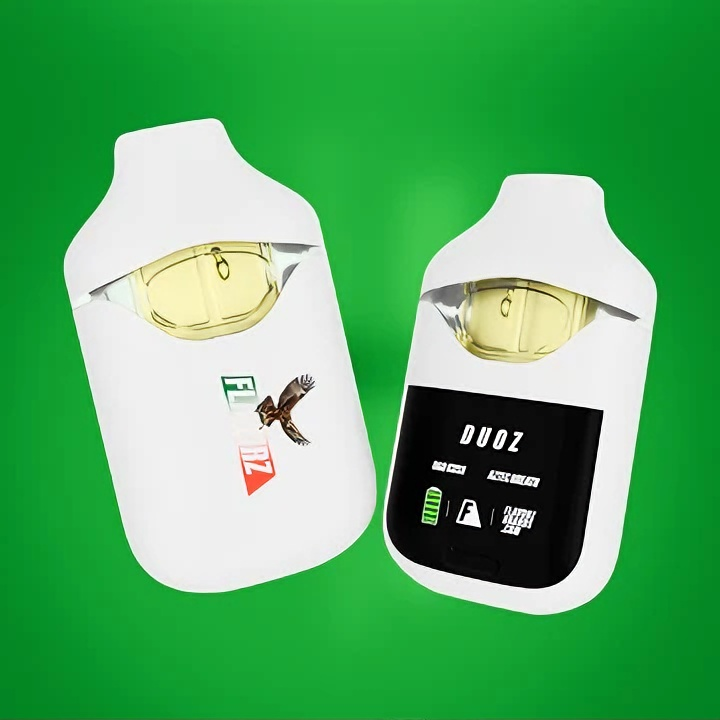
By following these battery check steps, you can quickly troubleshoot and possibly fix airflow problems in your BESOS DUAL 2G. If problems continue, think about trying other troubleshooting methods in this blog.
First, check the mouthpiece for any blockages. A blocked mouthpiece can cause problems. You might have trouble inhaling, weak hits, gurgling sounds, or see oil near the mouthpiece. If you see these signs, take action.
To check the mouthpiece, remove it from the device. Look for any visible blockages. If you see any residue, use a cotton swab with isopropyl alcohol to clean it. This simple step can really help airflow problems and make your vaping better.
Next, clean the cartridge. A dirty cartridge can also cause airflow issues. Here are some good cleaning methods:
- Wipe Down the Exterior: Use a soft cloth to clean the outside. This gets rid of dust and residue.
- Clean the Contacts: Use isopropyl alcohol on a cotton swab to clean the contact points. This helps make a good connection.
- Clear the Airflow: If airflow is blocked, take a few strong puffs without inhaling. This can help clear blockages.
For a thorough clean, follow these steps:
- Clean the Mouthpiece: Remove the mouthpiece and use a cotton swab with isopropyl alcohol to clean it.
- Wipe Down the Cartridge: Clean the outside of the cartridge with a soft cloth. Make sure no liquid gets inside the device.
- Deep Clean: For tough clogs, take apart the device. Soak the mouthpiece and cartridge in warm, soapy water. Rinse and dry them well before putting them back together.
- Regular Maintenance: Clean your device every few weeks, especially if you use thicker oils. This helps stop future airflow problems.
By following these steps, you can fix airflow problems in your BESOS DUAL 2G and enjoy a smoother vaping experience.
Make sure the cartridge fits tightly into the battery. A loose cartridge can block airflow or cause bad electrical contact. To check the seating:
- Take the cartridge off the battery.
- Carefully line up the cartridge with the battery threads.
- Gently screw or press the cartridge back until it feels secure.
- Don’t tighten it too much, as this can break the threads or the cartridge.
If the cartridge doesn’t fit well, clean the connection points before putting it back. A well-fitted cartridge helps airflow and vapor production.
Tip: If you feel resistance or the cartridge shakes, don’t force it. Look for dirt or damage that might stop a good fit.
Look closely at the cartridge for any damage that could cause airflow issues. Damage can be cracks, dents, or leaks. Here’s what to check:
- Look at the glass or plastic for cracks or breaks.
- Check for oil leaks around the seals or mouthpiece.
- Look at the metal contacts for rust or bending.
- Make sure the airflow holes are clear and not blocked.
If you see any damage, replace the cartridge right away. Using a damaged cartridge can make airflow problems worse and ruin your vaping experience. Regularly checking your cartridge helps you find problems early and keep airflow smooth.
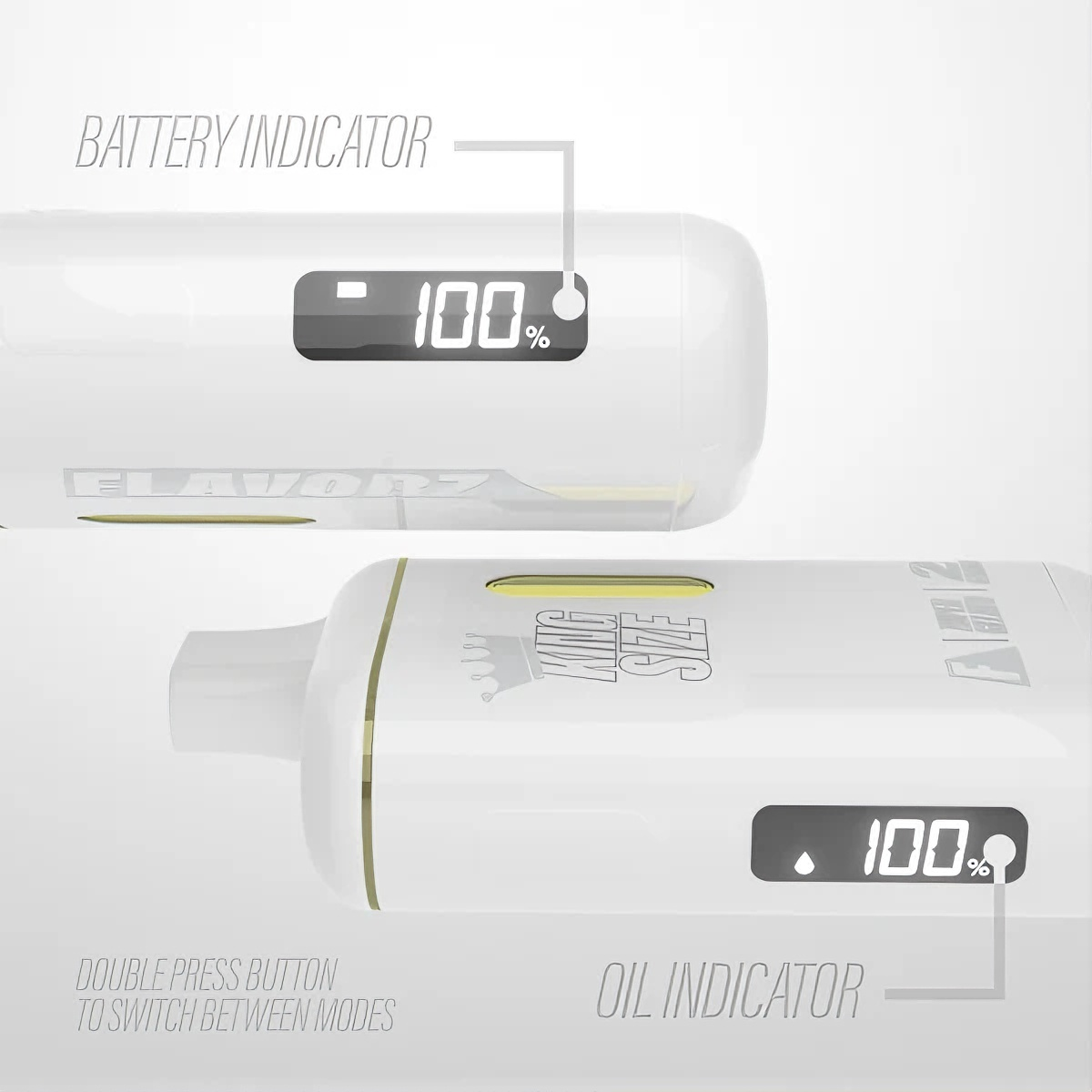
By verifying the cartridge connection, you can quickly fix many airflow issues. Proper seating and undamaged cartridges keep your BESOS DUAL 2G working well.
Oil clogs can cause airflow problems in your BESOS DUAL 2G. You can find clogs by looking for these signs:
- Thick THC oil that hardens when it gets cold
- Water buildup inside the airway
- Oil collecting near the mouthpiece or in the cartridge
- Hard to draw vapor or weak hits
- Gurgling sounds when you inhale
These problems happen for a few reasons. For example, if you store your device flat, oil can settle and block airflow. Chain vaping can flood the system with oil, making it hard to draw air. A low battery might not heat the oil enough, causing it to thicken and clog the cartridge.
Checking for these signs helps you see if oil clogs are causing your airflow problems. Finding clogs early keeps your device working well and improves your vaping experience.
Warming the cartridge can help fix oil clogs by making the thick oil flow better. Here are some safe ways to warm it:
- Hold the cartridge in your hands for a few minutes to use your body heat
- Use a hairdryer on low heat from about 6 inches away for 10-15 seconds
- Place the cartridge in warm water (not hot) for a few minutes, making sure no water gets inside the device
Don’t overheat the cartridge. Too much heat can damage the oil or the device. After warming, try taking a few gentle puffs without inhaling to clear any loosened clogs.
Warming your cartridge during cold weather or after long storage helps stop airflow problems caused by thick oil. This simple step keeps your BESOS DUAL 2G ready for smooth, tasty hits every time.
To fix airflow problems in your BESOS DUAL 2G, do these important steps:
- Check for Blockages: Look for anything blocking the airflow.
- Inspect Mouthpiece and Vents: Notice if it’s hard to inhale or if there’s oil buildup.
- Remove Any Obstructions: Use a thin tool or compressed air to clear the vents.
Try these fixes before getting professional help. If problems continue, think about asking an expert.
If you still have problems, think about getting a new cartridge. You can also reach out to customer support for help.
You should clean your device every few weeks. This is important, especially if you use thicker oils. Cleaning helps stop airflow issues.
You should use the charger that comes with your device. Other chargers might not work right and could harm the battery.
 Carter Davis