
 By Carter Davis
Airflow is very important to stop clogs in your ACE ULTRA MINIS GEN 4 devices. This is especially true when you use thick oil. If airflow is not good, you might face many problems. Common issues are clogs from condensation, flooding from too much e-liquid, and oxidation that leaves residue. These things can really block airflow. Knowing the best airflow techniques helps you keep your device working well. This way, you can have a better vaping experience.
- Change airflow settings to make vaping better. Use tighter draws for thick oils and looser draws for thin oils.
- Clean your device often to stop clogs. Wipe it down every day and do a deep clean each week to keep airflow clear.
- Pick high-quality oils made for vaping. These oils vaporize well, improving flavor and lowering the chance of clogs.
- Watch how you use your device. Short, quick puffs can help reduce condensation and keep airflow smooth.
- Check and replace worn parts to keep your device working well. Regular checks can stop bigger problems and ensure safe use.
Clogs in your ACE ULTRA MINIS GEN 4 devices often come from a few common problems. One big reason is using thick oil. When you use thicker oils, they can cause serious issues for airflow. Here’s how thick oil affects your device’s performance:
- Increased Viscosity: Thick oils are stickier, so they flow slowly. This can cause blockages in the airflow path.
- Reduced Vaporization: If oil is too thick, it might not turn into vapor well. This can make residue build up, leading to clogs.
- Condensation Issues: Thick oils can also create more condensation inside the device. This moisture can pile up and block airflow.
To help you see how device design affects airflow and clog prevention, look at these features of the ACE ULTRA MINIS GEN 4:
| Feature | Description |
|---|---|
| Clog-resistant airflow | Fixes vaping’s annoying problems by changing the air pathway for steady draw resistance. |
| Next-gen airflow channel | Gives ultra-smooth, clog-free hits, improving the overall vaping experience. |
| Improved Airflow System | Leads to bigger clouds and smoother pulls, helping to stop clogs. |
By using these advanced features, you can have a smoother vaping experience and lower the chance of clogs. Knowing how thick oil works with your device will help you make better choices and keep airflow good.
Good airflow is very important to stop clogs in your ACE ULTRA MINIS GEN 4 devices. When you manage airflow well, your vaping experience gets better. Here’s how to do this:
- Adjusting Airflow Settings: Many devices let you change airflow settings. Try different settings to find what works best. A tighter draw helps with thick oils, while a looser draw is better for thin oils.
- Using the Right Temperature: Heat changes how oil turns into vapor. If it’s too hot, it can burn the oil and create residue. Stick to the recommended temperature for your device to keep airflow good.
- Regular Maintenance: Clean your device often. Oil residue can build up and block airflow. Use a soft cloth or cotton swab to clean the airflow path and keep it clear.
- Choosing Quality Oils: Not all oils are the same. Pick high-quality oils made for vaping. These oils usually have better thickness and vaporization, which helps airflow.
- Monitoring Usage: Watch how you use your device. Long, slow draws can create more condensation, causing clogs. Instead, try shorter, quicker puffs to reduce moisture buildup.
By using these airflow management techniques, you can enjoy many benefits:
- Enhanced Flavor: Good airflow helps oils vaporize better, giving richer flavors.
- Smoother Hits: A well-managed airflow system makes draws smoother, improving your vaping experience.
- Reduced Clogs: Managing airflow well greatly lowers the chances of clogs, keeping your device working well.
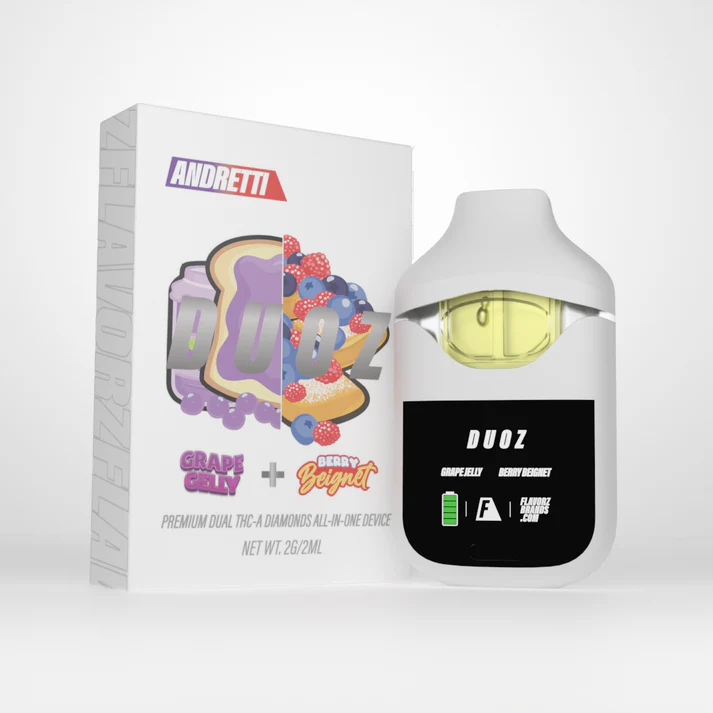
To keep airflow good in your DUOZ and FlavorZ Kingsize devices, use some warming techniques. These methods help stop clogs and make your vaping better. Here are some helpful tips:
- Selecting the Right Paper: Pick thinner papers for a cleaner taste. Thicker papers can slow down the burn, which may block airflow.
- Using Filters: Add filters to change airflow. They can cool the smoke, making it smoother.
- Even Grinding: Grind your materials evenly. This helps avoid gaps that could block airflow.
- Layering and Tamping: Layer your materials properly without packing them too tight. This keeps airflow good and stops clogs.
- Twist-and-Shake Motion: Use a gentle twist-and-shake motion to settle the herb. This helps reduce air pockets that can block airflow.
By using these warming techniques, you can greatly improve how your devices work.
When using thick oils in your DUOZ and FlavorZ Kingsize devices, changing the settings is important for the best performance. Here are some tips to help you get great results:
- Set the Temperature: Aim for a temperature between 350°F and 370°F (176°C to 188°C). This range boosts flavor and makes smooth vapor.
- Adjust Wattage Settings: Turn up the wattage to heat thick oil evenly. This helps avoid popping sounds and spitback, which can ruin your experience.
- Use Spitback Protection Features: Devices like FlavorZ Kingsize and DUOZ have spitback protection. Use these features to make your vaping better.
Clean your device often with isopropyl alcohol and cotton swabs. This keeps airflow clear and your device working well. Make sure all parts fit tightly as shown in the user manual. Also, check O-rings for wear and replace them if they are damaged. Using high-quality products like FLAVORZ can also help airflow and lower the chance of leaks.
By following these tips and adjustments, you can enjoy a smoother vaping experience while reducing the risk of clogs in your DUOZ and FlavorZ Kingsize devices.
Cleaning your ACE ULTRA MINIS GEN 4 devices is very important. It helps keep airflow clear. Here are some easy ways to do this:
- Daily Wipe Down: After using your device, wipe it with a soft cloth. This stops residue from building up.
- Weekly Deep Clean: Every week, take apart your device as shown in the user manual. Use isopropyl alcohol and cotton swabs to clean the airflow path well. This gets rid of any tough residue that might block airflow.
- Inspect O-Rings: Check the O-rings often for damage. These small parts help seal the device. If they look worn out, replace them to stop leaks and keep airflow good.
Tip: Always let your device dry completely before putting it back together. This makes sure no moisture is left, which could cause clogs.
Checking and replacing parts is very important for your device to work well. Here’s why you should include this in your maintenance:
- Identify Wear and Tear: Regular checks help you find worn-out parts early. This can stop bigger problems later.
- Enhance Performance: Changing old or broken parts can make your device work better. This leads to better airflow and smoother vaping.
- Safety First: Using damaged parts can be unsafe. Always make sure all parts are in good shape before using your device.
By following these maintenance tips, you can have a better vaping experience with your ACE ULTRA MINIS GEN 4. Keeping your device clean and well-cared for will help you avoid clogs and ensure it works well.
You might see some signs that show a clog in your ACE ULTRA MINIS GEN 4 device. Here are the common signs to look for:
- Condensed E-Liquid: You may notice vapor cooling and forming in the mouthpiece. This can block airflow.
- Improper Storage: Storing your vape upside down can cause leaks into the airflow path.
- Frequent Puffing: Using it a lot can thicken the e-liquid. This can lead to buildup and clogs.
If you notice any of these signs, follow these steps to fix airflow:
- Ensure Proper Alignment: Make sure the cartridge is tightly connected to the battery. A loose or too tight connection can cause problems.
- Look for Clogs: Check the mouthpiece and airflow vents for blockages. If you see any residue, clean it out carefully to fix airflow.
- Observe Device Behavior: Watch for any LED lights on your device. If they don’t light up as they should, it might mean a connection issue.
- Adjust Airflow Settings: If your cartridge has adjustable airflow, make sure it’s set right. Close the airflow holes when filling and open them fully when vaping.
- Inspect the Heating Element: If the previous steps don’t help, check the heating element for damage. A broken coil can stop vapor production. If it’s damaged, you’ll need to replace it.
To effectively restore airflow after a clog, try these methods:
- Gentle Heat: Use your body heat by holding the device or use a hair dryer on low heat to warm the oil. This makes it less thick and helps clear clogs.
- Air Pressure: Take gentle pulls (dry hits) or blow into the device to create pressure that can push out blockages.
- Manual Cleaning: Use a straightened paperclip or toothpick to carefully remove visible blockages from the mouthpiece.
By following these troubleshooting steps, you can quickly restore airflow and enjoy a smoother vaping experience with your ACE ULTRA MINIS GEN 4 device.
To stop clogs in your ACE ULTRA MINIS GEN 4 devices, use the best airflow techniques. Regular cleaning is also very important. Here are the main points:
- Manage Airflow: Change settings and watch how you use it to improve your vaping.
- Clean Regularly: Keep the airflow path clear to stop buildup.
- Choose Quality Oils: Pick good oils that turn into vapor easily.
By doing these things, you can have smoother hits and a better vaping experience. Remember, taking care of your device really helps! 🌬️
If your device gets clogged, look for blockages in the mouthpiece and airflow vents. Clean them gently with a cotton swab. If it still doesn’t work, check the cartridge and heating element for any damage.
You should clean your device at least once a week. Cleaning often stops residue from building up and keeps airflow clear. Wiping it down daily after use can also help it work better.
No, you should only use high-quality oils made for vaping. These oils vaporize better and help keep airflow good, which lowers the chance of clogs.
For thick oils, set your device temperature between 350°F and 370°F (176°C to 188°C). This range boosts flavor and makes smooth vapor without burning the oil.
To improve airflow, change the settings based on how thick your oil is, clean the airflow path often, and watch how you use it. Shorter, quicker puffs can also help cut down on condensation.
 Anderson Green