
 By Anderson Green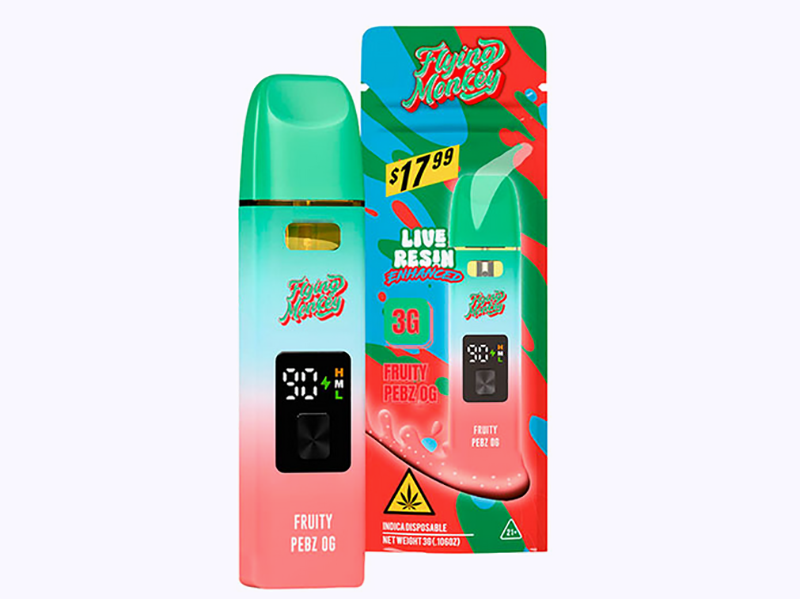
It’s annoying when your Flying Monkey device doesn’t work right. You might look at a device that won’t turn on, or maybe the lights are blinking in strange ways. You could also see that it doesn’t work well all the time. This can make you wonder what is wrong. These signs usually mean there are battery failures. They can be very frustrating. Don’t worry; you’re not the only one dealing with this!
- Find battery problems by looking for signs like blinking lights or if the device won’t turn on.
- Do quick checks like making sure the battery is charged and the connections are clean to fix issues.
- Clean your device’s connections often to help it work better and stop battery problems.
- Keep your device in a cool, dark place and store it upright to prevent leaks and keep the battery healthy.
- If your device seems broken for good, think about getting a new one like the FlavorZ Kingsize.
When your Flying Monkey device has problems, it’s important to spot the signs of battery failures. Here are some common signs you might see:
- Device Won’t Turn On: If you press the button and nothing happens, there may be a battery problem.
- Blinking Lights: Strange blinking can mean the battery is having trouble.
- Inconsistent Performance: If the device works sometimes but not always, check the battery.
These signs can be annoying, but noticing them is the first step to fixing the problem.
Before thinking there are battery failures, do these quick checks to rule out other problems:
- Confirm the Battery Is On and Charged: Quickly press the button five times to wake the battery. Look for a light to show it’s on. If there’s no light, charge the battery fully and try again.
- Check the Connection: Ensure the cartridge is tightly screwed onto the battery. It should fit well but not too tight, or it might break.
- Clean Threads and Contacts: Use a cotton swab with alcohol to clean both sides of the connection. This helps make a good electrical connection.
- Nudge the Center Pin (If Needed): If the small center pin on the battery looks pushed down, gently lift it to help with contact.
- Prime the Wick Without Firing: Take two or three slow pulls without pressing the button. This helps soak the wick for better vapor.
- Warm the Cart for Better Flow: Hold the device in your hand for a few minutes. This can help the oil flow better.
- Set a Reasonable Voltage: If your battery has settings, start at a low voltage and slowly increase it.
- Pause Between Puffs: Wait five to ten seconds between hits. This lets the wick soak up more liquid.
- Clear the Air Path: Check the mouthpiece and airway for any dirt. Cleaning these spots can help airflow and performance.
By doing these checks, you can often find and fix problems before thinking you have battery failures.
If your Flying Monkey device shows signs of battery failures, you can try some steps to fix it. Let’s look at some easy solutions to help you enjoy vaping again.
First, let’s check if your device is charged. Here are some steps to follow:
- Use the Preheat Function (If Available): If your device has a button, press it two or three times quickly. This warms the oil and can help clear clogs.
- Tap to Remove Air Bubbles: If oil isn’t reaching the wick, tap the device on a surface to get rid of air bubbles. Let it sit upright for a few minutes before trying again.
- Know When It’s a Dud: If none of these steps work, the device may be broken. Think about this if you’ve tried everything else.
By following these steps, you can often fix charging issues and make sure your device is ready to use.
Next, let’s clean the connections. A clean connection is very important for your device to work well. Here’s how to do it:
- Gather Your Supplies: You’ll need a cotton swab and some rubbing alcohol.
- Clean the Threads: Gently clean the threads on both the battery and the cartridge. This helps make a good electrical connection.
- Wipe the Contacts: Use the cotton swab to clean the points where the cartridge connects to the battery. This can help improve performance and reduce battery failures.
Cleaning your connections often can stop many common problems and help your device last longer.
Finally, let’s check for clogs. Clogs can cause poor performance and battery failures. Here’s what to do:
- Inspect the Mouthpiece: Look for any dirt or buildup that might block airflow. If you see anything, clean it out carefully.
- Check the Air Path: Make sure the airway is clear. You can use a small tool or a brush to remove any blockages.
- Test the Device: After cleaning, try using the device again. If it still doesn’t work, you may need to try other troubleshooting steps.
By checking for clogs, you can often fix your device and enjoy a smoother vaping experience.
With these troubleshooting tips, you can handle battery failures and keep your Flying Monkey device working well. Remember, regular care can help prevent problems later!
Sometimes, no matter what you do, your Flying Monkey device might show it can’t be fixed. Here are some signs to watch for:
- No Response: If your device won’t turn on after charging, it may need replacing.
- Consistent Blinking Lights: If the lights keep blinking and don’t change, there could be a serious problem.
- Overheating: If your device gets too hot while using or charging, something is wrong.
- Frequent Disconnects: If the device keeps turning off or disconnecting, the battery might be failing.
If you see any of these signs, your battery has likely stopped working.
When your Flying Monkey device can’t be fixed, don’t worry! You have good choices for replacements. One great option is the FlavorZKingsize. Here’s why you should think about it:
- High-Quality Performance: The FlavorZ Kingsize has a strong 2-gram capacity, giving you smooth and tasty hits every time.
- Portable Design: Its small size makes it easy to carry, perfect for using on the go.
- Legal Compliance: With its THC-A formula, you can enjoy cannabis-like effects without legal issues.
- User-Friendly: The device is easy to use, making it simple for both new and experienced users.
Switching to the FlavorZ Kingsize can improve your vaping experience while giving you a dependable device. Don’t let battery failures stop you—check out your options and keep enjoying your favorite flavors!
Taking care of your Flying Monkey device is important to stop battery failures. Here are some easy tips for storing and maintaining it.
How you keep your device matters a lot. Use these tips to keep it safe:
- Keep It in a Cool, Dark Place: Store your device at room temperature, around 60°F to 70°F. Stay away from heat and light because they can harm the cannabinoids and terpenes.
- Store It in an Upright Position: This helps stop oil from leaking and clogging. Always keep your device standing up when not in use.
- Protect It from Moisture and Humidity: A dry place is best. Moisture can hurt the inside parts and cause condensation.
- Keep It Away from Extreme Cold: Cold can make the oil thick, causing clogs. If your device gets too cold, let it warm up naturally before using it.
Regular care can help your device last longer and avoid battery failures. Here are some simple steps to take:
- Monitor the LED Light Indicator: Always check the light to see if your device is charged. This helps you avoid problems while vaping.
- Store Your Vape in a Cool, Dry Place: This keeps both the liquid and battery in good shape.
- Regularly Check the Battery Life: Watching the battery level can help you avoid sudden shutdowns.
By following these storage and maintenance tips, you can have a longer-lasting and more reliable vaping experience with your Flying Monkey device. Remember, a little care goes a long way!
Taking care of your Flying Monkey device is very important for good vaping. If you follow the right care and troubleshooting steps, your battery can last much longer. Here are some important tips to remember:
- Keep your vape in a cool, dark spot to stop THC from breaking down.
- Don’t let it get too hot, because high heat can change how strong it is and hurt the battery.
- Always store the device standing up to avoid leaks and help airflow.
By doing these easy things, you can have smooth hits and tasty sessions for a long time. So, take care of your device, and enjoy vaping!
If your Flying Monkey device doesn’t turn on, check if it’s charged. Press the button five times to wake it up. If it still doesn’t respond, charge it fully before trying again.
To clean your device’s connections, use a cotton swab with rubbing alcohol. Gently wipe the threads on both the battery and cartridge. This helps the electrical connection and can fix performance problems.
You might have a dead battery if your device won’t turn on after charging, has blinking lights, or gets too hot while using. If you see these signs, think about replacing your device.
It’s best not to use your Flying Monkey device while it’s charging. This can cause overheating and may harm the battery. Wait until it’s fully charged for the best performance.
Store your device in a cool, dark place, around room temperature. Keep it standing up to avoid leaks and protect it from moisture. Good storage helps keep the battery life and performance strong.
 Carter Davis